
Mastering Image Enhancement: A Deep Dive into FloraBella Colorplay Photoshop Actions for Stunning Portraits
In the dynamic world of photography, post-processing is as crucial as the capture itself. It’s where the raw potential of an image is unlocked, transforming a good photograph into an unforgettable masterpiece. For many photographers, navigating the complexities of manual adjustments in Photoshop can be daunting and time-consuming. This is where high-quality Photoshop actions become invaluable tools, offering a streamlined workflow and consistent, professional results. Today, we’re embarking on an exciting journey with the FloraBella Colorplay action set, renowned for its ability to infuse images with vibrant colors and beautiful tones.
Over the past few weeks, I’ve shared insights into my editing processes, often showcasing what individual FloraBella Colorplay actions can achieve when applied directly to an image. My previous posts deliberately paused before reaching a fully realized vision, focusing solely on demonstrating the distinct impact of each action. This comprehensive guide, however, goes beyond isolated effects. Our goal is to illustrate not just what one action does, but the transformative power of layering multiple actions and adding those final, delicate touches that elevate an image from good to truly exceptional. We will explore how these actions work together harmoniously, allowing for unparalleled creative control and breathtaking results.
For this detailed exploration, I’ve chosen a captivating image from a mini-session with “Mr. Man,” a set I originally posted on September 30th. Interestingly, that entire collection was processed using FloraBella’s Classic Color set. This time, I’ve challenged myself to achieve an equally stunning result, but exclusively using the versatile FloraBella Colorplay set. This commitment allowed me to thoroughly explore the capabilities of Colorplay, pushing its boundaries to demonstrate its full potential in creating a vibrant and emotive portrait. The aim is to showcase how different action sets can yield equally beautiful yet distinct artistic outcomes, underscoring the flexibility available to photographers.
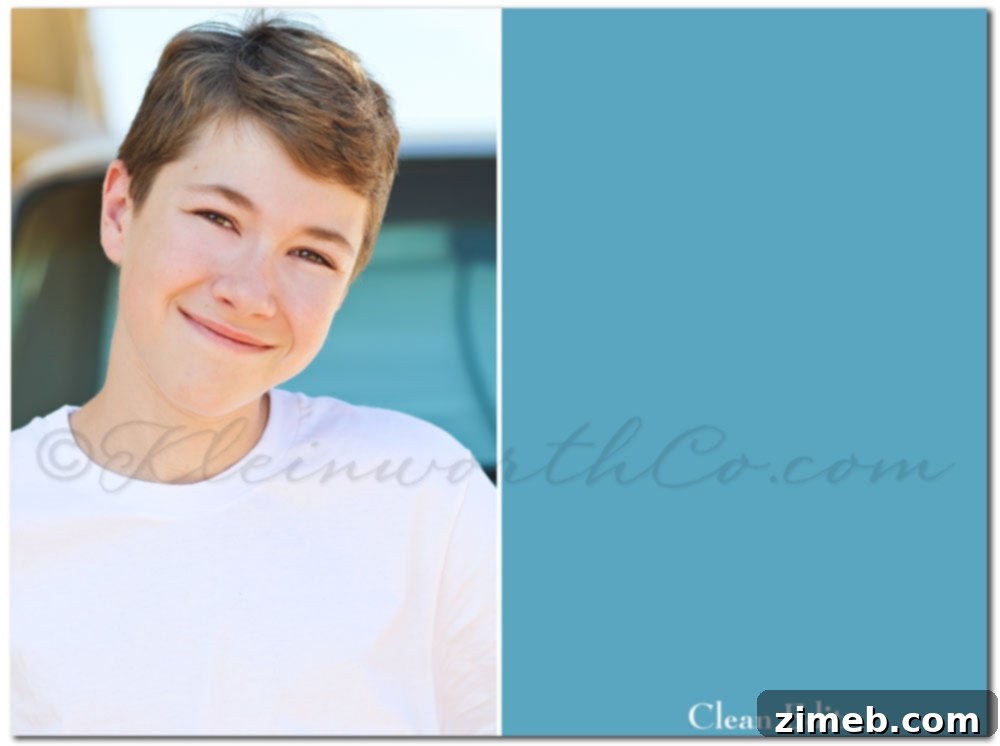
Having previously detailed my foundational steps for achieving a crisp, “clean edit” – a crucial starting point for any advanced photo manipulation – I’ll begin this week’s tutorial from that precise stage. A clean edit serves as the blank canvas, ensuring proper exposure, white balance, and minor retouches, allowing the subsequent application of Photoshop actions to shine through without underlying issues. This establishes a solid, neutral base upon which the creative magic of FloraBella Colorplay can truly unfold.
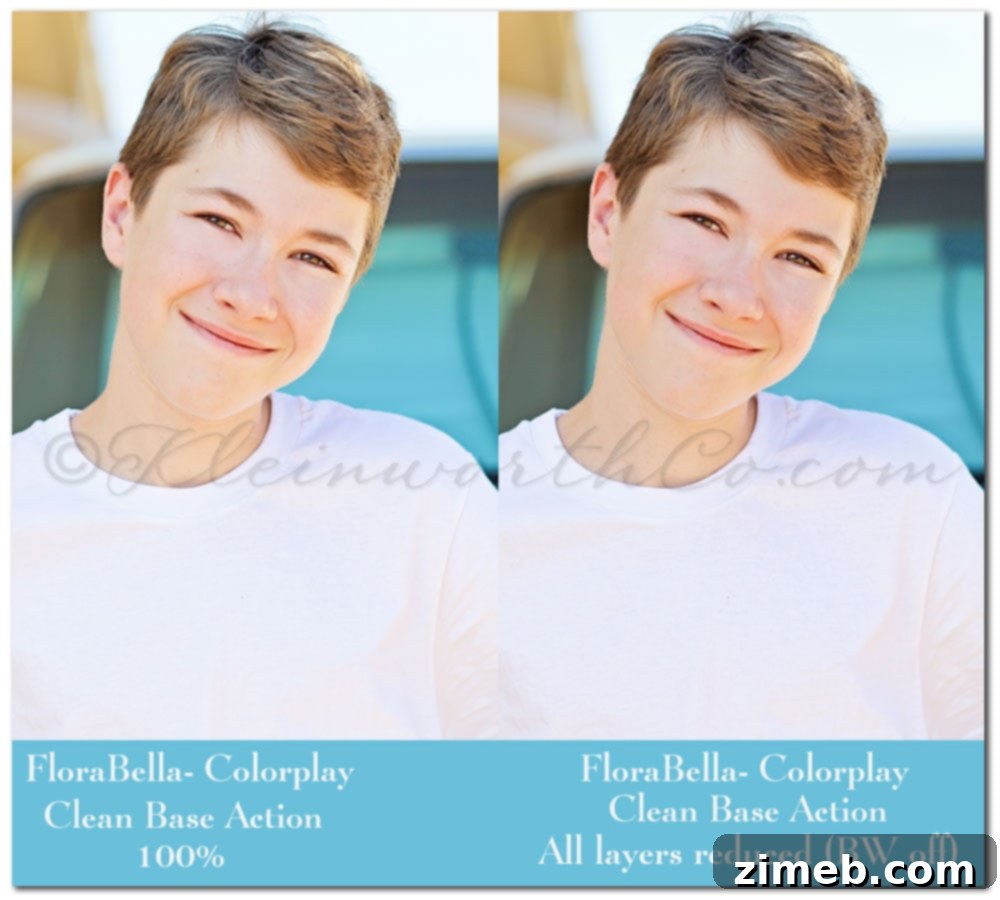
The first action I applied from the FloraBella Colorplay set was “Clean Base.” This action is designed to provide an excellent foundation, enhancing overall brightness and contrast while subtly enriching colors. The image on the left illustrates the initial outcome immediately after running the Clean Base action. As you can see, it instantly brightens the scene and beautifully emphasizes the natural highlights in his hair, creating a luminous effect. However, the true power of Photoshop actions lies in their adjustability. The image on the right showcases the result after I meticulously fine-tuned the layers created by the Clean Base action. This involved reducing the opacity of nearly all the adjustment layers to achieve a more nuanced and personalized effect, perfectly aligning with my desired aesthetic. At this stage, I deliberately left the black and white conversion layer turned off, opting to keep the image in full color for further processing.
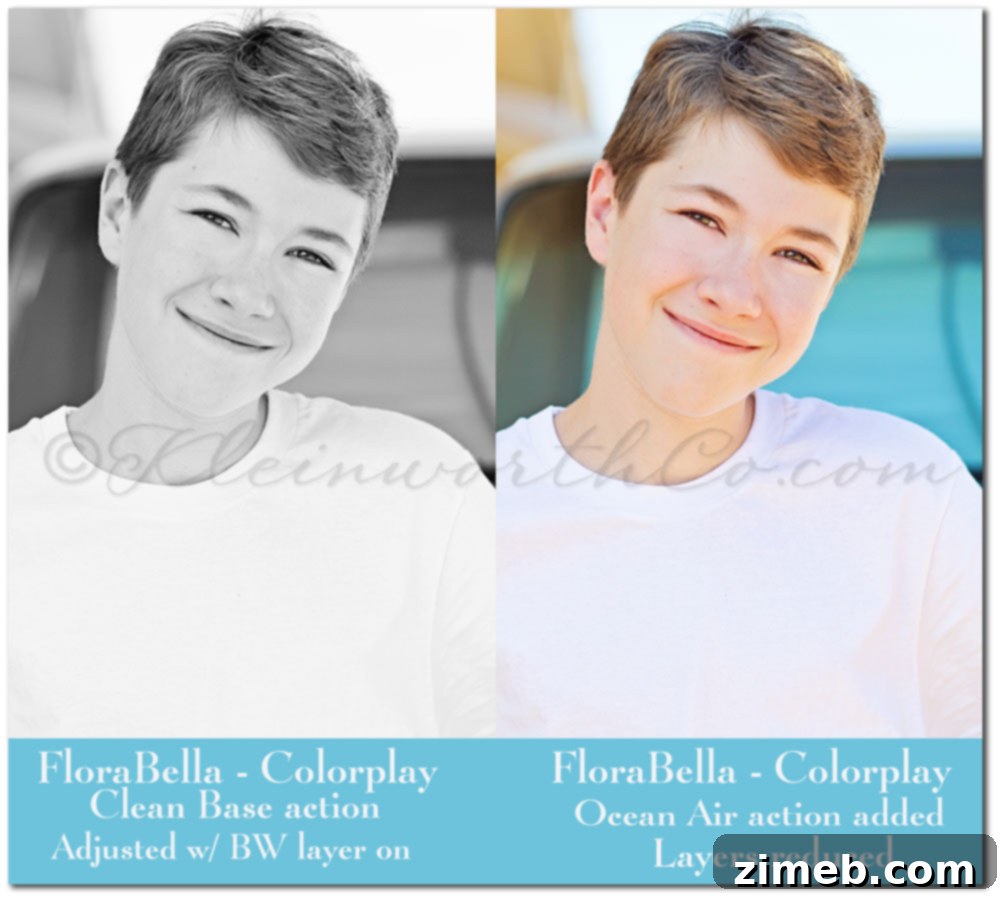
To thoroughly demonstrate the versatility of the FloraBella Colorplay actions, I briefly enabled the black and white layer within the Clean Base action. The image on the left in this comparison shows how effectively the action converts the photo to monochrome after initial color adjustments, offering a classic and timeless appeal. While a beautiful option, I decided against a black and white rendition for this particular image. Therefore, I turned off that specific layer and proceeded to merge my visible layers, preparing for the next enhancement. Subsequently, I introduced the “Ocean Air” action. This action typically imbues images with a subtle cool tone and a fresh, airy quality. After running it, I again significantly reduced the opacity of its constituent layers, resulting in the image on the right. While the effect was nice and fresh, it still lacked that distinctive ‘pop’ I was aiming for, indicating a need for further creative layering.
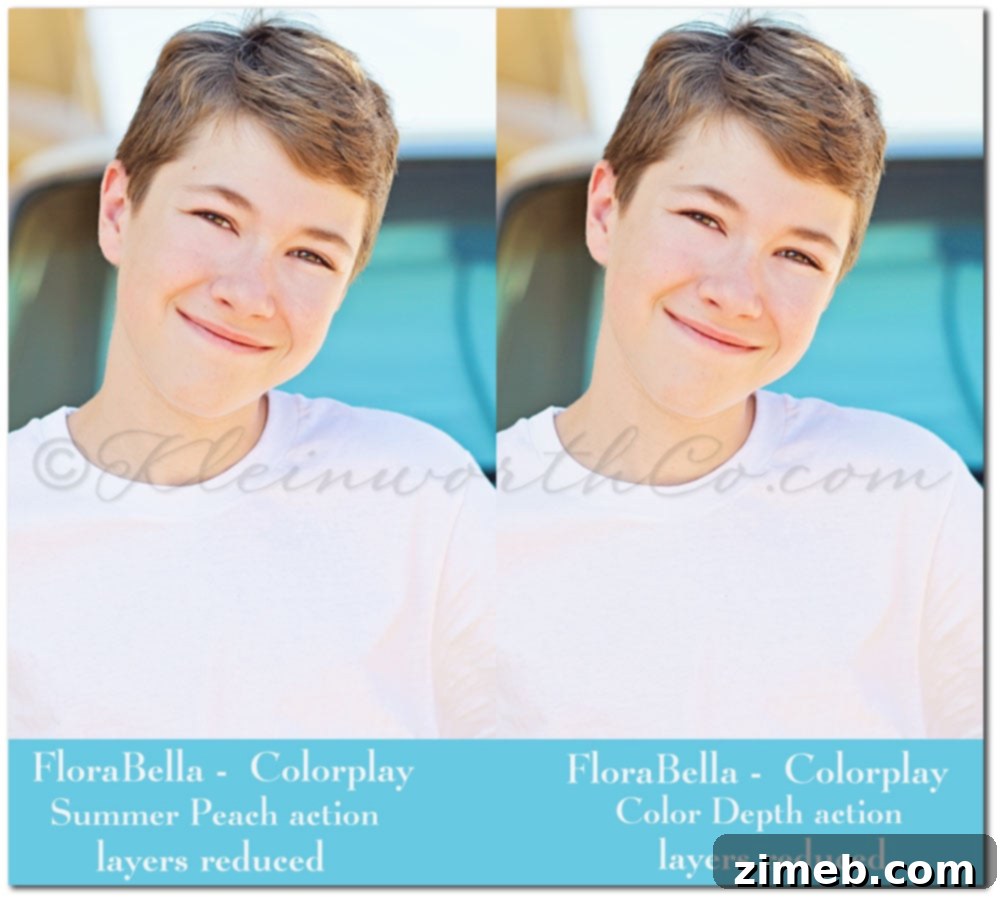
With the “Ocean Air” effect integrated, I merged those layers once more. My next step was to apply the “Summer Peach” action from the FloraBella Colorplay set. This action is celebrated for its ability to introduce a warm, soft glow, often enhancing skin tones with a natural, sun-kissed radiance. As with previous steps, I meticulously adjusted the opacity of its layers to my preference, ensuring the effect was subtle yet impactful. Despite these thoughtful adjustments, the image still hadn’t quite achieved the vibrant ‘pop’ I envisioned. This iterative process of applying, adjusting, and evaluating is fundamental to achieving a truly personalized edit. It highlights the importance of understanding how each action contributes to the overall aesthetic.
To address the lingering desire for more visual impact, I then ran the “Color Depth” action. This particular action within the FloraBella Colorplay set is expertly designed to enrich and deepen the colors in an image without over-saturating them, adding a dimension of intensity and richness. After applying it, I made slight reductions to its layers, just enough to bring out that desired vibrancy and dimensionality. This step proved to be a significant turning point; we were now definitively ‘getting somewhere’ in terms of achieving the captivating look I had in mind.
It’s crucial to remember that photo editing is a deeply creative and often exploratory process. There are countless pathways one could take to reach a similar outcome. The overarching purpose of this detailed demonstration is twofold: first, to actively engage with the FloraBella Colorplay action set and discover its extensive capabilities; and second, and perhaps most importantly, to develop an intimate familiarity with each action. By understanding the specific effect and subtle nuances of every action, I gain invaluable insight into the precise result it will yield, empowering me to make more informed and intentional creative choices in future edits. This hands-on experimentation fosters confidence and mastery over the tools at hand, transforming editing from a prescriptive process into an intuitive art form.
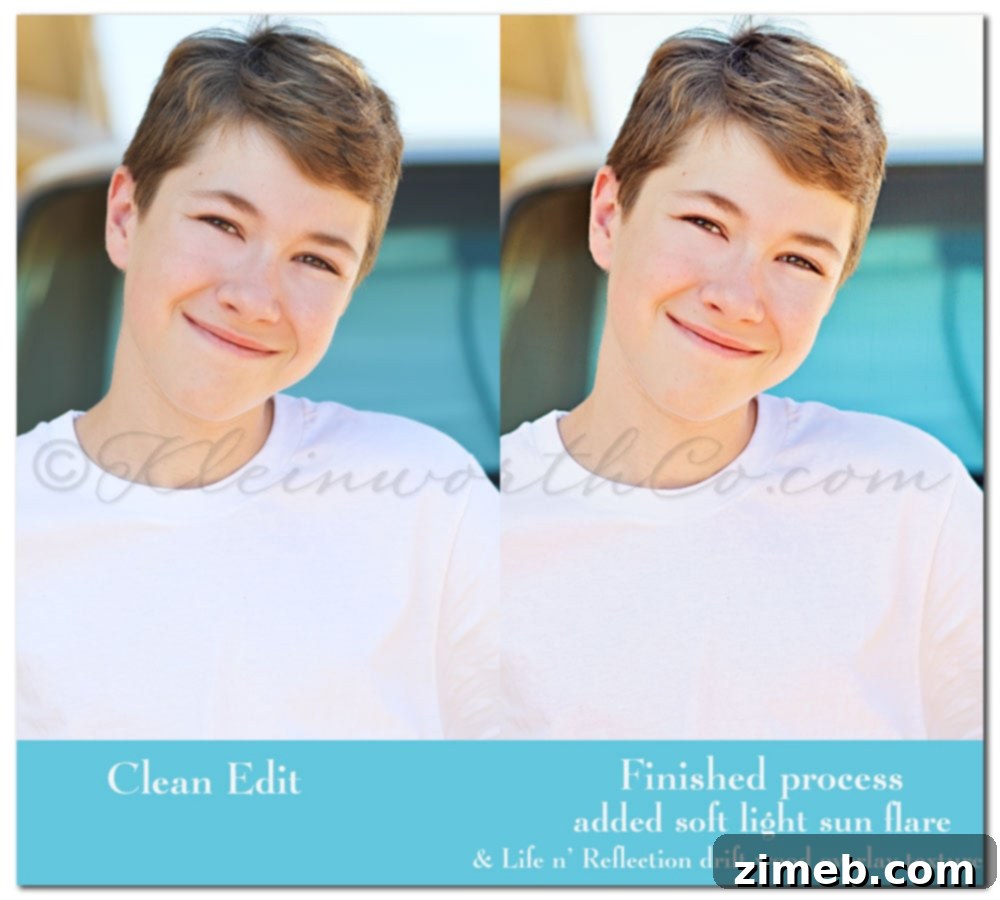
Emboldened by the progress and truly in a playful, experimental mood, I decided to push the creative boundaries further. My first addition was a sun flare overlay, applied with a ‘soft light’ blending mode. This technique is fantastic for mimicking natural light, adding a warm, ethereal glow and subtly drawing the eye. It had the delightful effect of enhancing the highlights in his hair even more, giving the image an extra spark of luminosity – a definite positive. Following this, I felt an irresistible urge to integrate some of the truly amazing textures that Kristy from Life n’ Reflection generously provided from her exquisite driftwood collection. Textures can add incredible depth, character, and a unique artistic fingerprint to an image. I carefully introduced a touch of this texture, ensuring it blended seamlessly and complemented the existing layers without overpowering the subject.
After these creative additions, a final pass of sharpening was applied to enhance detail and definition, bringing crispness to the image. With that, the editing process for the day was complete. The side-by-side comparison presented here vividly illustrates the remarkable transformation from the initial clean edit to the rich, layered final image, showcasing the profound impact of combining FloraBella Colorplay actions with thoughtful creative overlays and textures. It’s a testament to how meticulous layering and nuanced adjustments can elevate a photograph into a piece of art.
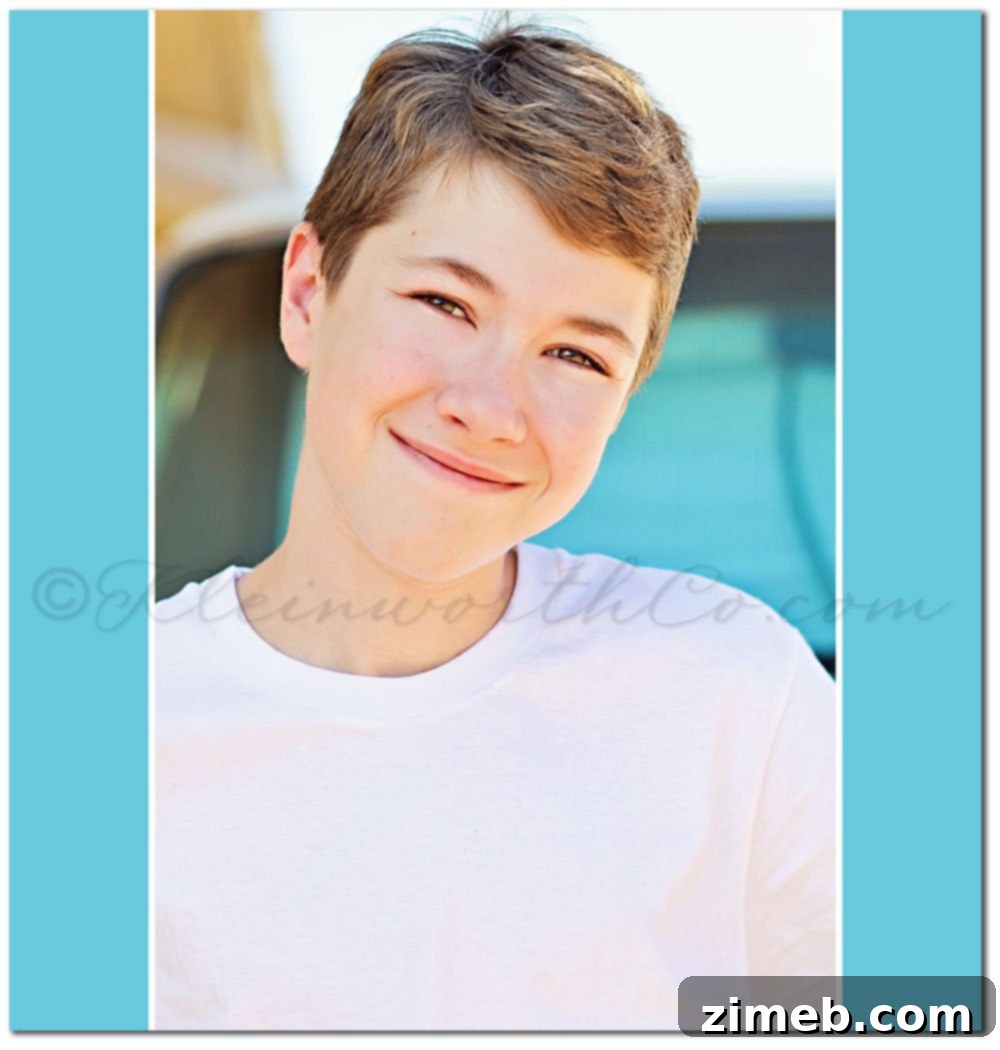
And here it is – the fully realized final edit, standing proudly on its own. This image perfectly captures his sweet, gentle nature, always ready to lend a helping hand, no matter the task. It’s a candid moment, beautifully enhanced to convey warmth and personality. The combination of FloraBella Colorplay actions, including Clean Base, Ocean Air, Summer Peach, and Color Depth, harmoniously blended with the sun flare overlay and the subtle driftwood texture, has culminated in a portrait that is both vibrant and deeply emotive. Every layer played a critical role in building this depth, vibrancy, and unique artistic feel. This intricate process transforms a simple photograph into a storytelling piece, reflecting not just a moment, but a cherished disposition.
I’m truly a lucky mom to capture such moments.